

Clinical documentation built around your care. Not the other way around.
From session notes to supervisor review and electronic signatures, Noteable brings behavioral health documentation into a more connected workflow. Customize templates for your programs, keep clinical information together, and reduce unnecessary steps between documentation and billing.
The documentation your team needs, without the disconnected work.
Documentation requirements vary by discipline, service, and program. Your technology should give teams room to work the way they actually deliver care.
Customizable Documentation Templates
Build documentation around your programs, workflows, and clinical requirements rather than relying on one-size-fits-all forms.
Client-Centered Records
Keep notes and relevant care information connected to the client record so your team can find context without hunting across systems.
Supervisor Approvals & Signatures
Support clinical review and electronic sign-off within the documentation workflow, including supervisor involvement where required.
Documentation Linked to Billing
Connect clinical documentation with downstream billing processes and reduce duplicate entry when supported by your configured workflow.
See how documentation fits together.
From building customized clinical reports to capturing electronic signatures, see how Noteable supports your team's documentation workflows.
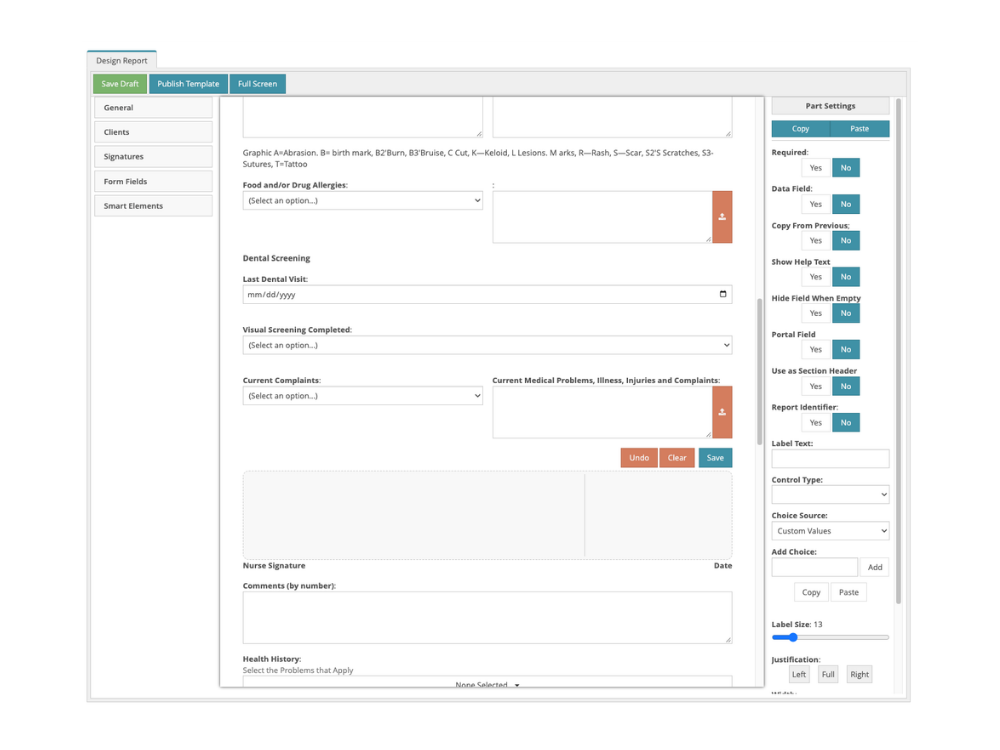
Templates shaped around your programs
Different services require different documentation. Noteable's report builder allows organizations to configure documentation around their programs, clinical workflows, and reporting needs.
Create structured clinical documents using customizable fields and layouts that reflect how your team captures information.
Electronic signatures within your documentation workflow
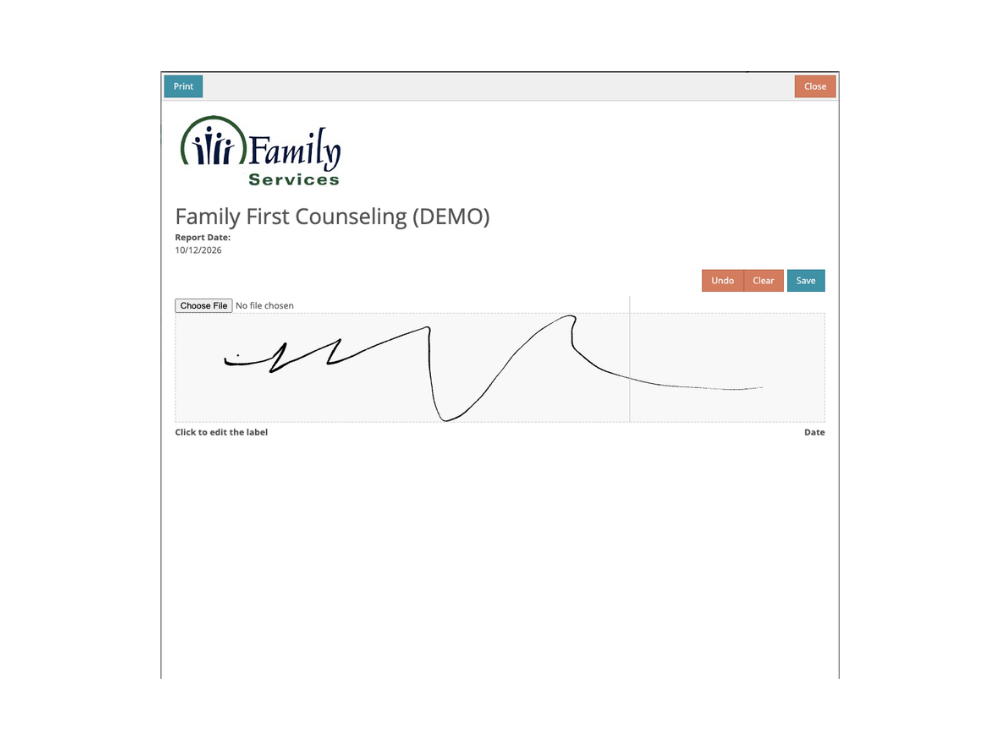
Capture electronic signatures as part of supported clinical documentation workflows, helping your team complete required sign-offs without relying on printed forms or disconnected processes.
Keep signed documentation connected to the appropriate clinical record for easier access and review.
Different services. Different needs. One connected platform.
Whether your organization serves one specialty or several, documentation should reflect the care being delivered.
Applied Behavior Analysis
Document sessions in the context of behavior programs, clinical goals, and BCBA supervision workflows. Help your team keep clinical notes and program information connected.
Community Mental Health
Support documentation across behavioral health programs with configurable forms, organized client records, and clinical review workflows.
Multidisciplinary Organizations
Accommodate distinct service lines and documentation needs while maintaining a more unified view of each client's care.
From clinical work to the next step, with less backtracking.
The exact steps depend on your organization's configuration and whether the service requires supervisory review or generates a billable charge.
Choose the Right Documentation
Use a template aligned with the program or service being provided.
Complete the Clinical Note
Record care within the connected client workflow.
Review and Sign, When Required
Route applicable documentation through the appropriate sign-off process.
Support the Billing Process
Use connected documentation for applicable downstream billing workflows.
Answers to common documentation questions.
A closer look at the workflows prospective partners often want to understand.
Can we customize documentation for different programs?
Noteable supports configurable clinical documentation templates. The specific forms and fields your team needs should be reviewed against your programs and implementation requirements.
Does Noteable support both ABA and community mental health documentation?
Noteable supports ABA and community mental health workflows. The configuration and documentation used depend on the services your organization provides.
How does supervisor approval work?
Noteable supports supervisor review and approval within applicable documentation workflows. During a demonstration, we can review when approval is needed and how the process can fit your team.
Can clinicians, supervisors, or caregivers sign electronically?
Noteable supports electronic signatures in supported workflows. Ask our team to show the specific clinician, supervisor, caregiver, and portal signature scenarios your organization requires.
Are notes available alongside the client record?
Documentation is managed in connection with client information. A live walkthrough can show your team how to locate historical notes and related clinical records.
Does clinical documentation connect to billing?
Noteable connects supported documentation workflows with billing processes. The exact handoff depends on the service, approval requirements, and your organization's billing setup.
See what documentation could look like for your team.
Tell us about your services and documentation challenges. We'll help you evaluate Noteable's templates, review workflows, signatures, and billing connections against what your practice needs.